Fantasy Gems JazzCash, Easypaisa or Bank Transfer: Which Payment Method to Use
A side-by-side look at Fantasy Gems JazzCash, Easypaisa and bank transfer payments: how each deposit usually works, what records to keep, which to choose and what to do when a deposit is not credited.
Independent guide — not an official Fantasy Gems channel and not affiliated with JazzCash, Easypaisa or any bank. Real-money games can lose money; 18+ only.

Payments
Category
Payment Methods
Focus
9 min
Read Time
Oct 2026
Published
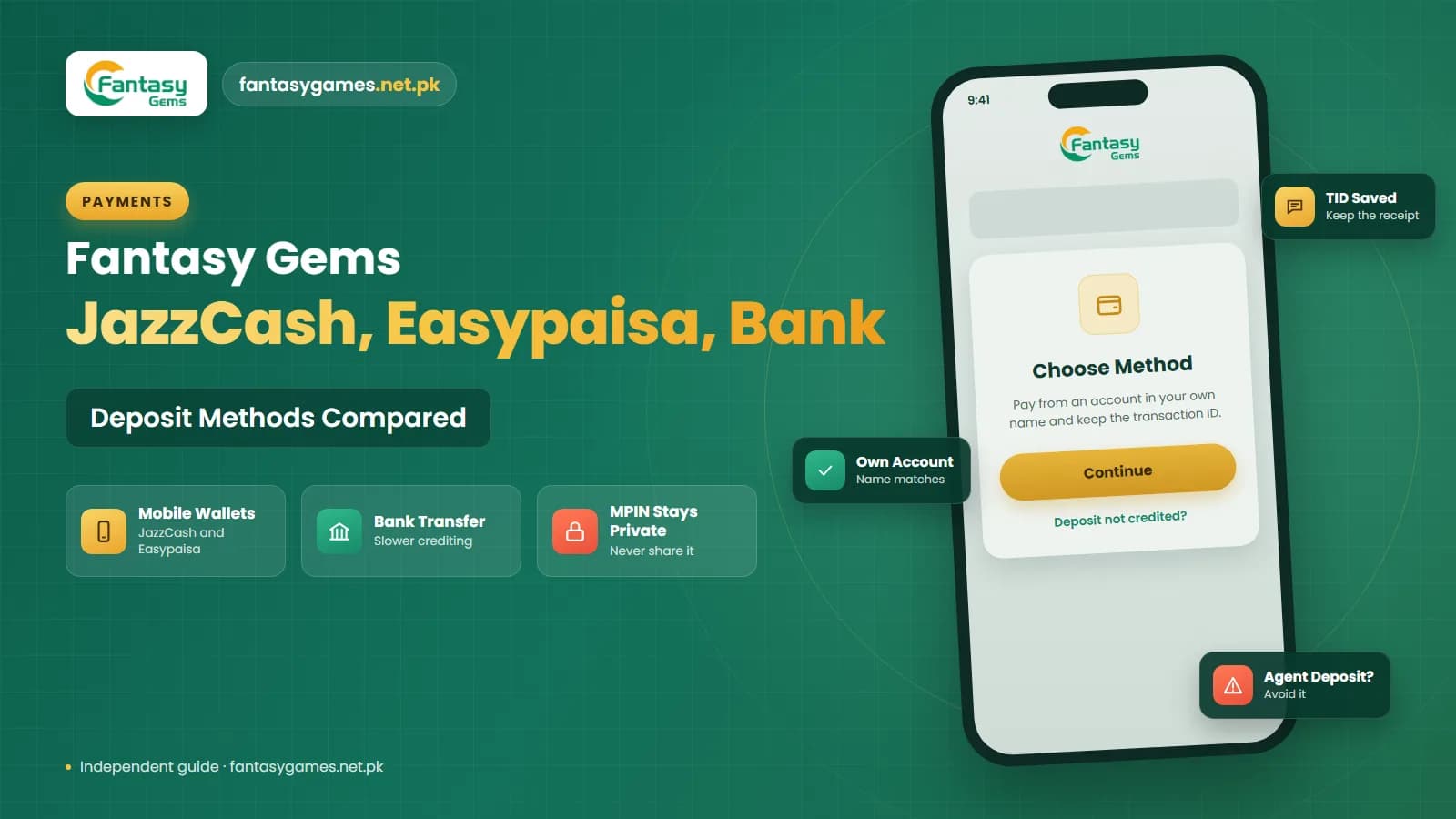
Fantasy Gems JazzCash Easypaisa payments are the two options players in Pakistan report most often, with bank transfer as the third. All three move rupees from your account into the app's wallet, but they differ in how the transfer is made, how quickly it tends to show up, and how easy it is to prove what happened if something goes wrong.
This article compares the three methods, walks through how a wallet deposit normally flows, and explains what to check when a deposit is not credited. The methods actually available to you are whatever your own deposit screen lists today, since payment channels in apps of this kind are switched on and off regularly.
This is an independent guide, not the operator of the app. We cannot see or fix your transaction, and nobody outside the app's own support can either.
Fantasy Gems JazzCash Easypaisa and bank transfer: the short answer
Six points that cover the essentials.
- Use only a method that is listed on your own deposit screen. Do not pay through a number sent to you in a chat.
- Pick the wallet or bank account that is registered in your own name and CNIC, because withdrawals usually have to return to an account that matches you.
- Wallet deposits by JazzCash or Easypaisa are generally the simplest. Bank transfers can take longer to be matched and credited.
- Start a fresh deposit request in the app each time. Payment details can change from one request to the next.
- Keep the transaction ID, a screenshot of the wallet receipt and a screenshot of the app's order after every payment.
- Never share your MPIN, OTP or password with anyone, including a person who says they are support.
No payment method makes the games safer. The method only affects how cleanly your money moves in and out.
JazzCash vs Easypaisa vs bank transfer on Fantasy Gems
A general comparison based on how these methods typically work in apps of this kind. Limits and fees are shown on your deposit screen.
| Method | How the transfer usually works | What to keep | Typical issues |
|---|---|---|---|
| JazzCash | You choose JazzCash and an amount in the app, then approve a payment request or send money from your JazzCash app to the details shown | TID from the JazzCash receipt or SMS, receipt screenshot, app order number | Wrong amount sent, request timed out, TID not submitted, wallet limit reached |
| Easypaisa | Same pattern: select Easypaisa in the app, then approve the request or pay from your Easypaisa app using the details displayed | Transaction ID from the Easypaisa receipt or SMS, receipt screenshot, app order number | Payment sent to an old number, insufficient wallet balance, delayed confirmation SMS |
| Bank transfer | The app shows an account title and number or IBAN, and you send the amount from your banking app by IBFT or Raast | Bank reference number, transfer receipt, exact time, app order number | Slower matching, account title mismatch, beneficiary changed, missing reference |
If the name on the receiving account looks like an unrelated private individual and you are unsure, stop and ask support inside the app before you send anything.
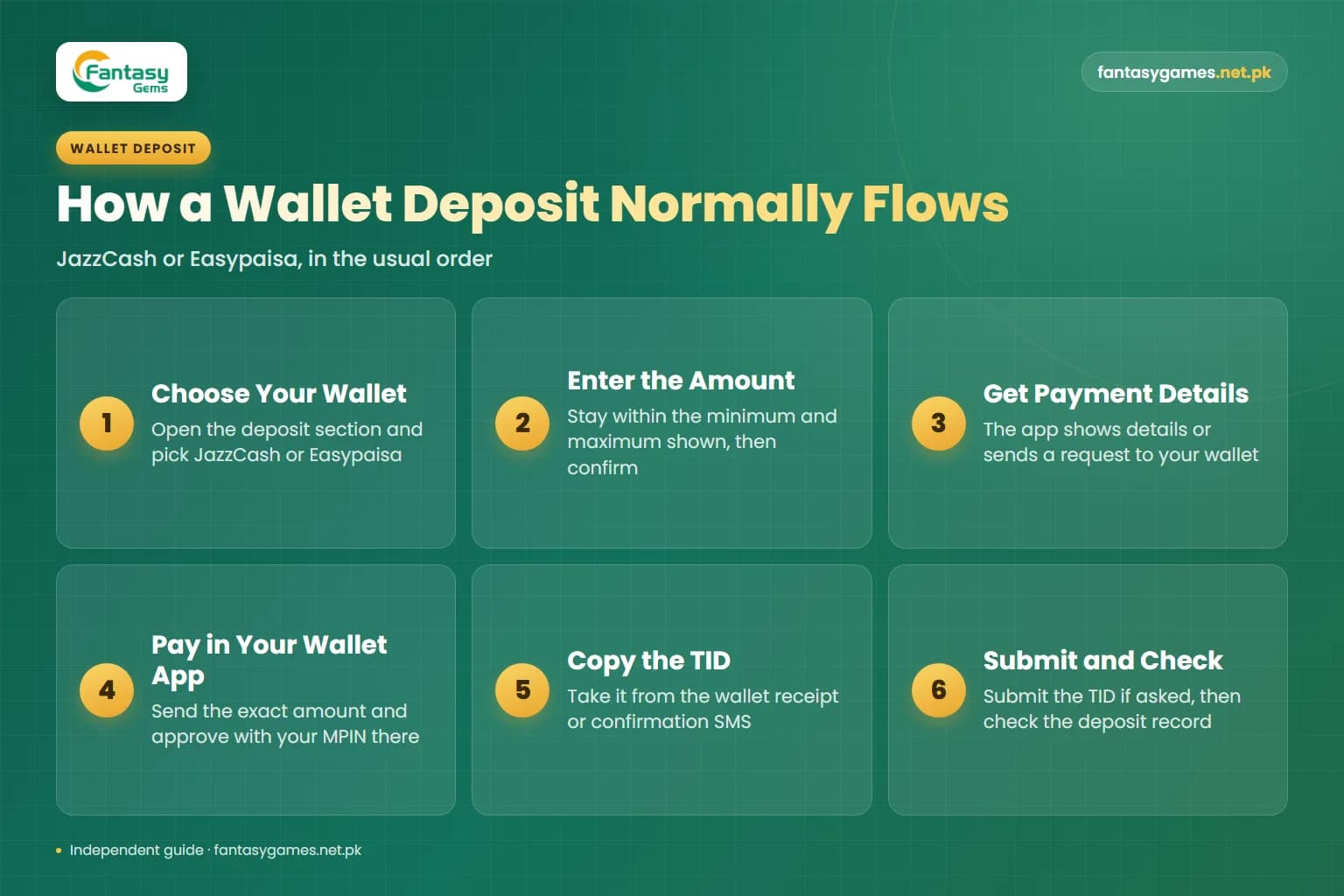
How a Fantasy Gems JazzCash deposit or Easypaisa deposit normally flows
Screens differ between versions, but a mobile wallet deposit generally follows this order.
- 1
Log in, open the wallet or deposit section and choose JazzCash or Easypaisa from the listed methods.
- 2
Enter an amount within the minimum and maximum shown for that method and confirm.
- 3
The app either displays payment details, such as a receiving account and the exact amount, or redirects you to a payment page that sends a request to your wallet.
- 4
Open your own JazzCash or Easypaisa app and complete the payment. Send the exact amount shown, and approve it with your MPIN only inside the wallet app itself.
- 5
Copy the transaction ID, usually called a TID, from the wallet receipt or the confirmation SMS.
- 6
Return to Fantasy Gems. If the screen asks for the TID or a receipt screenshot, submit it before the order timer runs out.
- 7
Wait for the balance to update, then check the deposit record in your transaction history.
Do not reuse details from an earlier deposit. Create a new order every time so the app can match your payment. Our deposit guide covers the full process in more depth.
Fantasy Gems bank transfer notes: IBFT, Raast and crediting delays
Where a bank option is listed, the app normally shows an account title and an account number or IBAN, and you send the money from your banking app. In Pakistan that usually means an interbank funds transfer, known as IBFT, or the Raast instant payment system. Both typically move money between banks within moments.
The delay is at the other end. A bank transfer often has to be matched to your order, and if that matching involves a manual check it can take noticeably longer than a wallet payment, especially late at night, at weekends or on public holidays. Banks also run scheduled maintenance during which transfers may queue.
Before you confirm, compare the account title your banking app displays with the title shown in Fantasy Gems. If they do not match, cancel. Afterwards, save the bank reference number and receipt, and add any remark or order number the app tells you to include.
Which is the best payment method for Fantasy Gems?
There is no single winner. The best method is the one that gives you the cleanest ownership and the clearest paper trail.
Registered in Your Name
Use the wallet or bank account opened on your own CNIC and SIM. Name mismatches are a common cause of withdrawal trouble.
Best Records
Choose the account whose app gives you a clear receipt, a searchable history and a statement you can download.
Enough Headroom
Check that your wallet level or bank limit can handle both the deposit and a later incoming withdrawal.
Kept Separate
A wallet you use only for this purpose, holding a fixed budget, keeps salary and savings out of reach during play.
Do not deposit from someone else's account
Paying from a relative's or friend's wallet may work for the deposit and then cause problems at withdrawal, when apps of this kind commonly expect the payout account to match the account holder. It also puts another person's account into your gambling record. Use your own, or do not deposit.
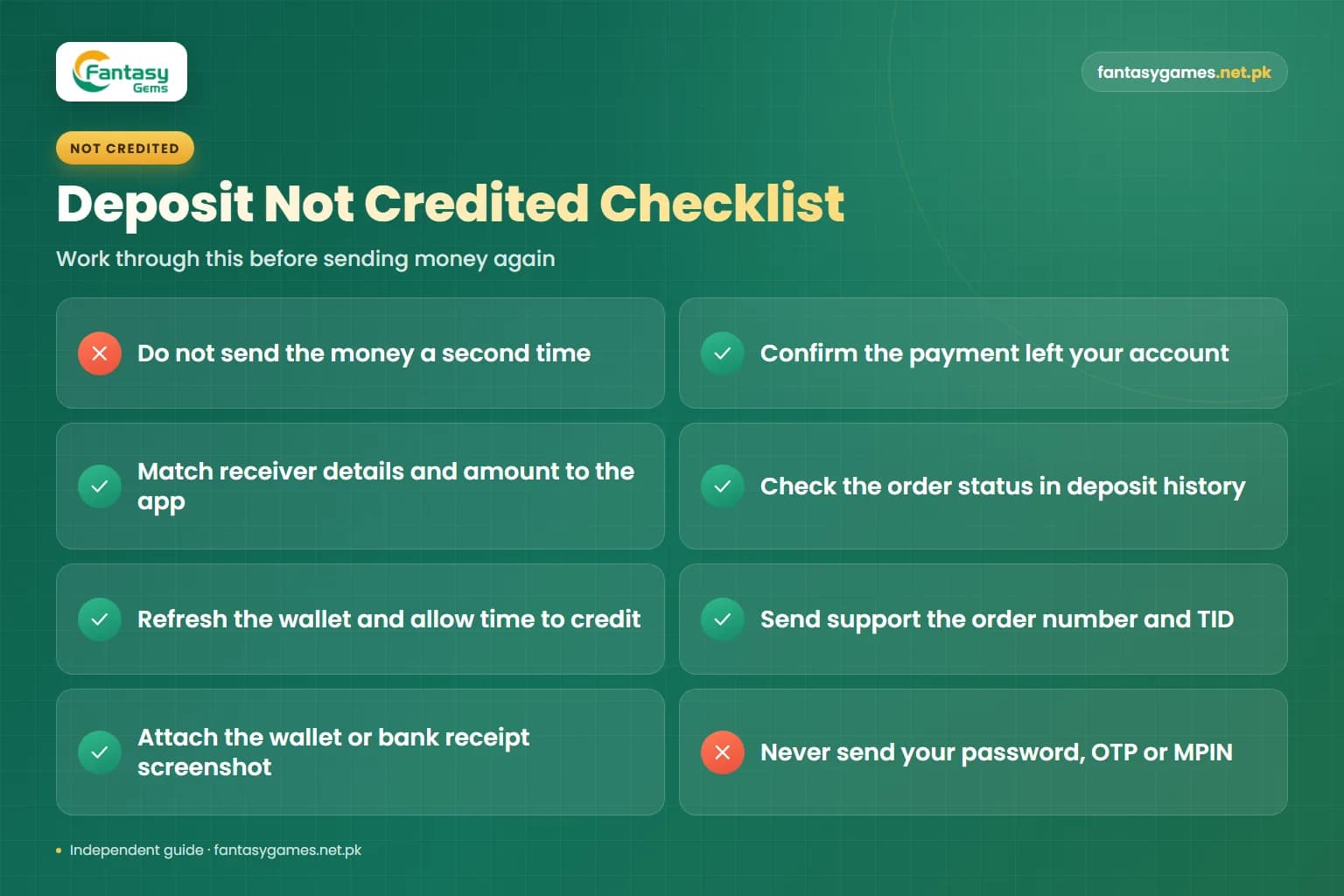
Fantasy Gems deposit not credited: what to check and what to send support
Do not send the money a second time. Work through this list first.
- Confirm the payment actually left your account by checking the wallet or bank history, not just the SMS.
- Check the receiver details and the amount against what the app displayed. A different amount may not be matched automatically.
- Look at the order status in the Fantasy Gems deposit history. An expired order may need to be reported with its number.
- Refresh the wallet, or log out and in once, then allow a reasonable time for crediting.
- If it is still missing, contact support inside the app and send the order number, TID or bank reference, exact amount, date and time, and method used.
- Attach the wallet or bank receipt screenshot and give your registered mobile number, with the middle digits of account numbers hidden where possible.
- Never include your password, OTP, MPIN or full card details in a support message.
If the payment failed on the wallet side and money was deducted, the wallet provider normally reverses it on its own schedule. Raise it in the wallet app's help section. Our customer care guide explains escalation.
Withdrawing to JazzCash, Easypaisa or a bank account
Withdrawals generally use the same family of methods in reverse. You add a withdrawal account in the app by entering the account holder name and the wallet number or bank account, then request an amount from your withdrawable balance. Apps of this kind commonly lock that account once it is saved, so type it carefully and use your own.
The amount sent has to fit inside your wallet's receiving and balance limits, or it may be returned. Bank payouts can take longer than wallet payouts for the same reasons deposits do. A payout request can also be held back by turnover conditions or daily limits, which our withdrawal guide and the article on minimum deposit and withdrawal limits explain.
Never share your MPIN or OTP
Your JazzCash or Easypaisa MPIN and any OTP sent to your phone are entered only by you, inside the wallet or banking app. No deposit, withdrawal, refund or verification requires you to read them out or type them into a chat, a form or a call. Anyone who asks is attempting to empty your wallet.
Payments to personal numbers are hard to reverse
A transfer from your wallet to another person's wallet is treated as a payment you authorised. Once it is complete, the money is in someone else's account, and neither the wallet company nor the app can simply pull it back. This is true whether you made a typing mistake or were deceived.
If you have sent money to the wrong number or to a scammer, act quickly. Contact the JazzCash or Easypaisa helpline through the help section of the wallet's own app, or your bank's helpline for a bank transfer, and ask them to log a dispute with the transaction ID. They may be able to place a hold if the funds have not been withdrawn, but recovery is not guaranteed and often depends on the recipient's cooperation.
Keep every screenshot and message. For fraud, you can also report the matter to the cyber crime authorities. Be wary of anyone who then contacts you offering to recover the money for a fee.
Agents offering to deposit for you
In WhatsApp and Telegram groups, people often offer to handle Fantasy Gems payments on your behalf. The pattern is nearly always the same.
- They ask you to send money to their personal JazzCash or Easypaisa number and promise to load your account, sometimes with an extra bonus.
- They ask for your login details so they can deposit directly, which hands over the account and its balance.
- They claim the app's own deposit channel is down and theirs is the only working one.
- They offer a discount, such as more balance than you pay for, which no genuine channel provides.
- They disappear or demand a second payment once the first one is sent.
- They pose as support staff using the app's name and logo on a private number.
Deposit only through the deposit screen inside the app. A payment made outside it leaves you with no order number and nothing for support to trace.
Final words on Fantasy Gems payment methods
JazzCash, Easypaisa and bank transfer all do the same job, and none of them changes the odds of the games. Choose the account that is in your own name and gives you the best records, start every deposit from the app's own deposit screen, send the exact amount, and keep the TID and screenshots until the balance is credited.
Guard your MPIN and OTP, never pay an agent's personal number, and remember that a mistaken or fraudulent transfer may not come back. Deposit only what you can afford to lose, and never borrow to play.
Check Which Methods Your App Lists
Log in and open the deposit screen to see the payment methods and limits currently available on your account.
Fantasy Gems JazzCash, Easypaisa and bank transfer FAQs
You deposit money on Fantasy Gems by logging in, opening the wallet or deposit section, choosing a listed method such as JazzCash, Easypaisa or bank transfer, and entering an amount. The app then shows payment details or sends a request to your wallet. Complete the payment in your own wallet or banking app, submit the transaction ID if asked, and wait for the balance to update.