Fantasy Gems Minimum Deposit and Minimum Withdrawal: How to Find the Real Limits
The Fantasy Gems minimum deposit and minimum withdrawal are set by the platform and vary by payment method. Learn where the app shows the current limits, what else caps your payments, and how to fix limit errors.
Independent guide — not an official Fantasy Gems channel. We do not quote rupee limits because only your own app screen shows the current ones. Real-money games can lose money; 18+ only.

Payments
Category
Deposit and Withdrawal Limits
Focus
9 min
Read Time
Oct 2026
Published
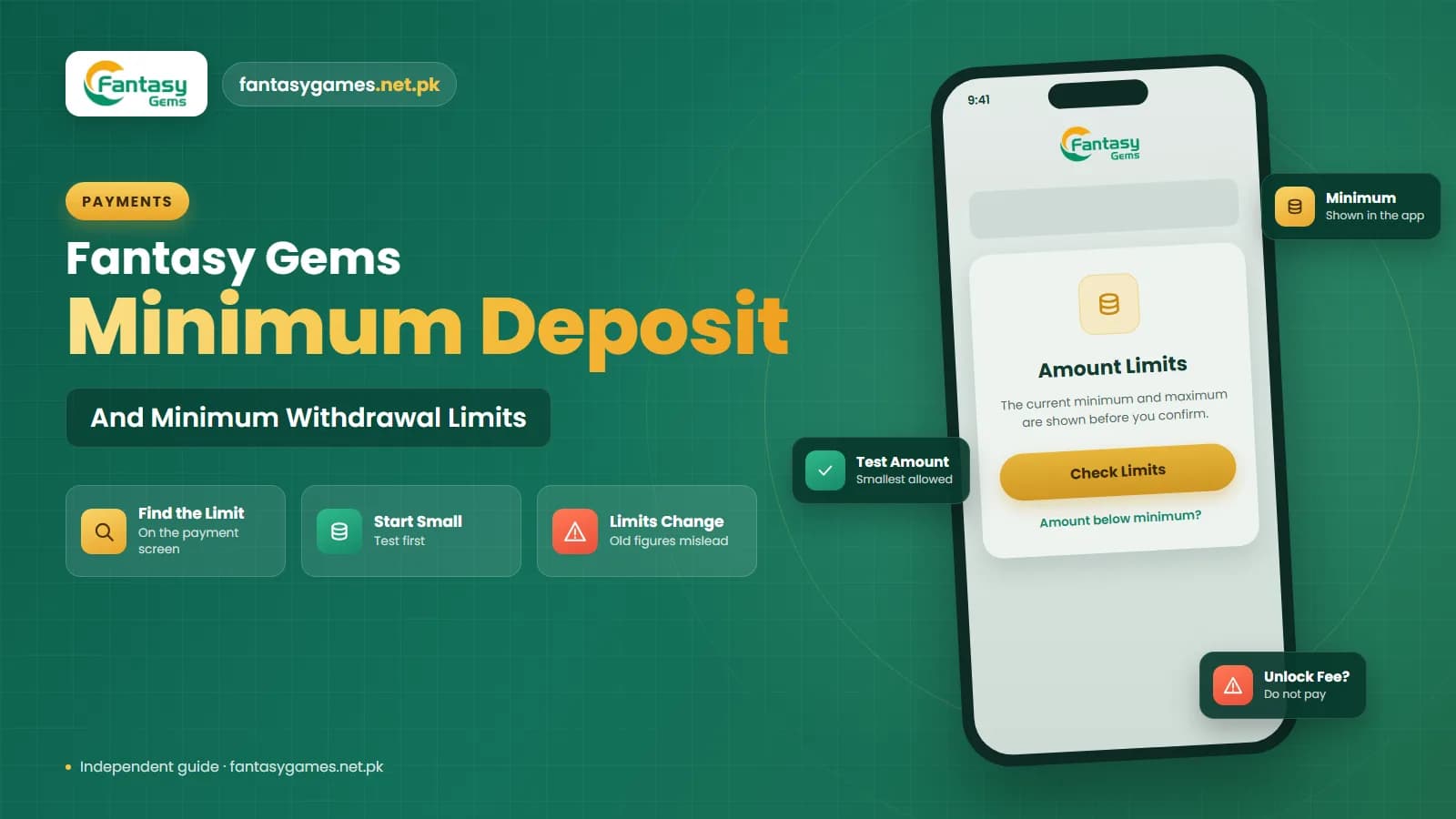
If you are searching for the Fantasy Gems minimum deposit or the Fantasy Gems minimum withdrawal, you have probably noticed that every website gives a different number, or no number at all. There is a reason for that. The limits are set by the platform, they differ from one payment method to another, and they can be changed without any announcement.
So the only figure you can rely on is the one printed on your own deposit and withdraw screens today. This article shows you exactly where to find it, explains the other limits that can block a payment even when you are above the minimum, and covers the error messages people run into most.
This is an independent guide, not the operator of the app. We deliberately do not publish rupee amounts, because a figure that was right last month can cost you a failed transaction this month.
Fantasy Gems minimum deposit and withdrawal limit: the short version
Six points that answer most questions about limits.
- The minimum deposit is shown on the deposit screen after you select a payment method. It may be different for JazzCash, Easypaisa and bank transfer.
- The minimum withdrawal is shown on the withdraw screen, usually beside or below the amount field.
- A maximum per transaction and a daily withdrawal limit commonly apply as well, and are listed in the same place or in the withdrawal rules.
- Being above the minimum is not enough. Only your withdrawable balance counts, and unfinished bonus turnover can hold a withdrawal back.
- Your mobile wallet or bank has its own sending and receiving limits that sit on top of the app's limits.
- Any website that states an exact amount with confidence may be quoting an old or invented figure.
When the app and a website disagree, the app is right.
Why the Fantasy Gems minimum deposit is not one fixed figure
Real-money apps of this kind do not process payments themselves. Deposits and withdrawals pass through payment channels, and each channel has its own costs and its own rules. A platform will typically set a different minimum and maximum for each channel, and may switch channels on or off depending on what is working that week.
Limits can also depend on your account. Apps of this type sometimes adjust limits by VIP level, verification status or account age, and promotional periods may come with their own minimum qualifying deposit that is higher than the ordinary minimum.
This is why two honest players can report two different numbers on the same day. Neither is lying. They are simply looking at different methods, different app versions or different account levels.
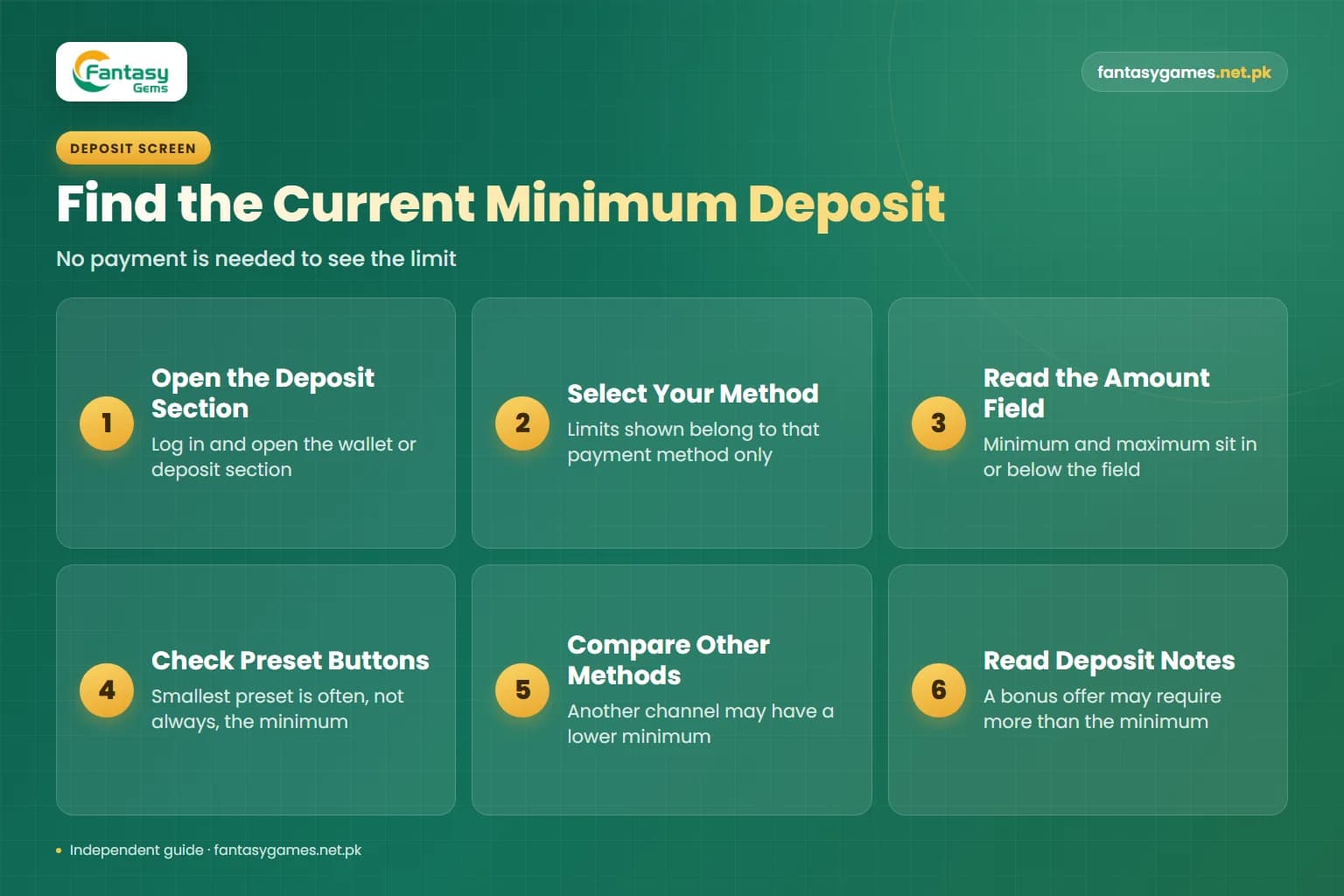
How to find the current Fantasy Gems minimum deposit in the app
Labels may vary slightly by version. You do not have to send any money to see the limit.
- 1
Log in and open the wallet or deposit section, usually reached from the home screen or the account tab.
- 2
Select the payment method you intend to use. The limits shown belong to that method only.
- 3
Look at the amount field. The minimum and maximum are normally printed inside it as a hint, directly below it, or in a short notes panel on the same screen.
- 4
Check the preset amount buttons. The smallest preset is often, though not always, the minimum for that method.
- 5
Switch to another payment method and compare. You may find a lower minimum on a different channel.
- 6
Read any deposit notes about bonus eligibility, since a promotional offer may require more than the basic minimum.
Stop at the amount screen if you are only checking. No payment is made until you confirm and complete the transfer. Our deposit guide walks through the full process.
How to find the Fantasy Gems minimum withdrawal and daily limit
- 1
Open the wallet section and choose withdraw.
- 2
Note the withdrawable balance shown at the top. This can be lower than your total balance.
- 3
Select or add the withdrawal account you plan to use, because limits may differ by method.
- 4
Read the amount field and the text around it for the minimum and maximum per request.
- 5
Open the withdrawal rules or instructions on the same screen. This is where a daily withdrawal limit, the number of requests allowed per day, service hours and any fee are usually listed.
- 6
Look for a line about remaining turnover or required betting. If it shows anything other than zero, a withdrawal may be refused even above the minimum.
Take a screenshot of the rules panel. If a limit changes later, you will have a dated record of what the screen showed when you deposited.
Minimum, maximum and daily withdrawal limit: where each is shown
| Limit type | Where it is shown | Why it changes |
|---|---|---|
| Minimum deposit | Deposit screen, in or below the amount field after choosing a method | Each payment channel has its own minimum, and channels are swapped or updated |
| Maximum deposit per transaction | Same amount field or the deposit notes | Set per channel and may be adjusted by account level |
| Minimum withdrawal | Withdraw screen, beside the amount field or in the rules panel | Depends on the payout method and current platform policy |
| Maximum withdrawal per request | Withdraw screen or withdrawal rules | Often tied to the method, VIP level or verification status |
| Daily withdrawal limit | Withdrawal rules or instructions panel | May be a cap on total amount, on number of requests per day, or both |
| Turnover requirement | Withdraw screen, bonus terms or the promotions tab | Changes with each bonus you accept and each bet you place |
| Wallet or bank limit | Inside your JazzCash, Easypaisa or banking app | Depends on your account level and the provider's own rules |
If a limit does not appear anywhere in your app, ask support inside the app before depositing rather than guessing.
How JazzCash, Easypaisa and bank limits also cap your payments
The app's limits are only half of the picture. Your mobile wallet has limits of its own. JazzCash and Easypaisa accounts are generally offered at different levels, and a basic account opened with minimal verification normally has lower daily, monthly and balance limits than a fully verified or biometric-verified one. Your current limits are shown inside the wallet app itself.
This matters in both directions. A deposit can fail because it would push you past your wallet's sending limit for the day. A withdrawal can bounce back because the incoming amount would exceed the receiving or maximum balance limit on your wallet, even though the Fantasy Gems maximum withdrawal allowed it.
Bank accounts have daily transfer limits too, which you can usually view and adjust in your banking app. Before a larger payment in either direction, check the limit on both sides: the app's and your own account's.
Above the minimum does not mean withdrawable
A balance higher than the minimum withdrawal can still be refused. If you accepted a bonus, apps of this kind typically require a set amount of betting, known as turnover, before funds are released, and many apply a basic turnover to ordinary deposits as well. Only the figure labelled withdrawable balance can be requested. Our bonus guide and withdrawal guide explain these conditions.
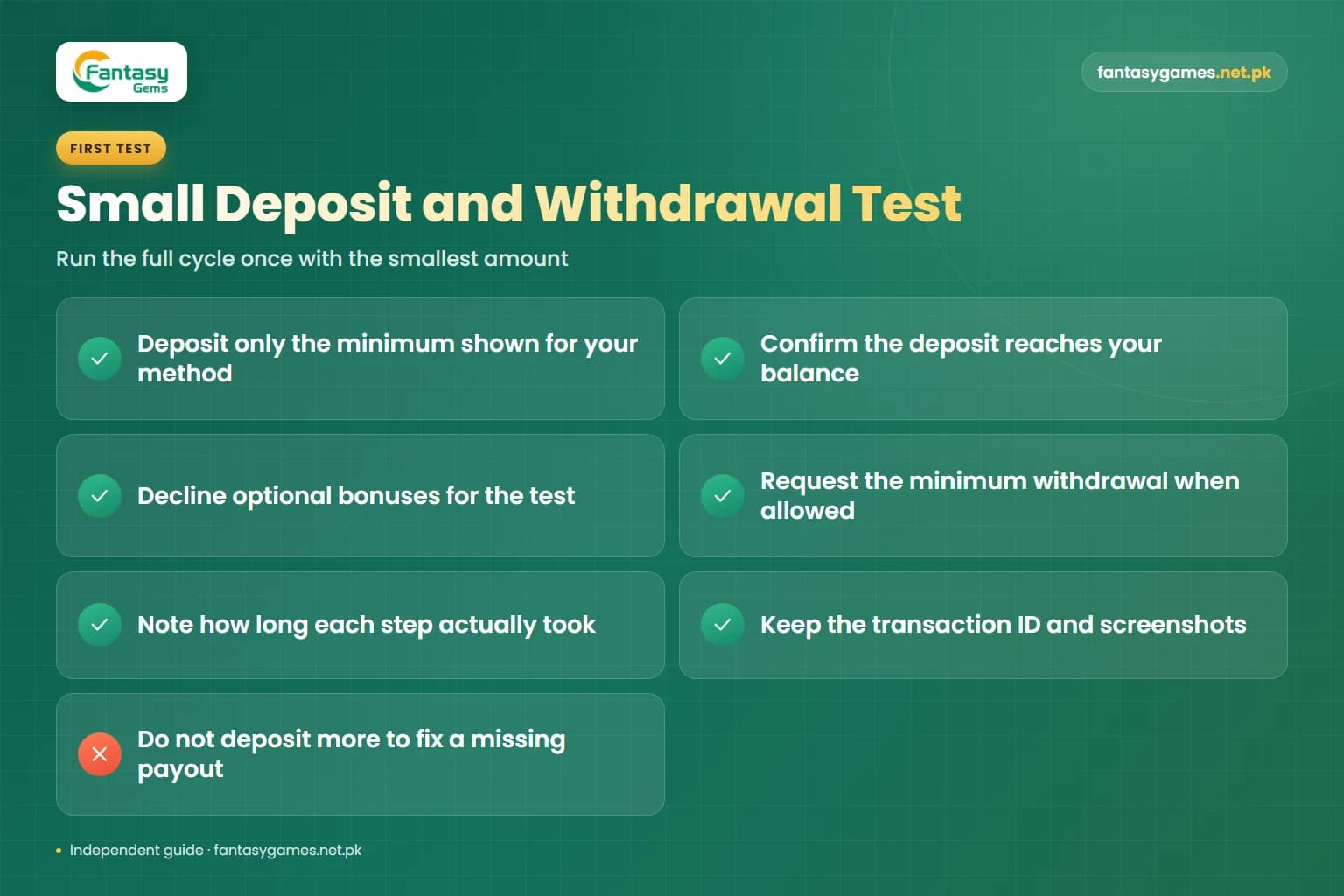
Why a small first deposit and withdrawal test is wise
Before you trust any real-money app with a meaningful amount, run the full cycle once with the smallest amount the screen allows.
- Deposit only the minimum shown for your method and confirm it reaches your balance.
- Decline optional bonuses for the test so that turnover conditions do not cloud the result.
- Request the minimum withdrawal as soon as the rules allow and see whether it arrives in your wallet.
- Note how long each step took in practice, rather than relying on a time someone quoted online.
- Keep the transaction ID and screenshots of both transfers.
- If the small withdrawal does not arrive or new conditions suddenly appear, do not deposit more to solve it.
A test limits what you can lose to the platform. It does not reduce the risk of the games themselves, which are built to favour the house. Never play with borrowed money.
Amount below minimum, exceeds limit and other errors explained
The exact wording differs between versions, but these are the limit-related messages players report most.
| Error message | Likely cause | What to do |
|---|---|---|
| Amount below minimum | The figure entered is under the minimum for the selected method | Re-read the amount field hint, raise the amount or try a method with a lower minimum |
| Exceeds limit or amount too large | Above the per-transaction maximum, or the daily limit is used up | Split into smaller requests if the rules allow, or wait until the next day |
| Insufficient withdrawable balance | Part of the balance is bonus money or is locked behind turnover | Check withdrawable balance and remaining turnover, and request only that amount |
| Withdrawal count reached | The number of requests allowed per day has been used | Wait for the daily reset shown in the withdrawal rules |
| Turnover not completed | Required betting on a deposit or bonus is unfinished | Read the bonus terms and decide whether continuing is worth the risk |
| Payment failed on the wallet side | Your JazzCash, Easypaisa or bank limit was reached, or the wallet balance is too low | Check limits and balance in the wallet or banking app, not in Fantasy Gems |
| Channel unavailable or under maintenance | The payment method is temporarily switched off | Try later or choose another listed method, and do not pay outside the app |
If an error persists, screenshot it with the amount entered and contact support inside the app. Our customer care guide lists what to include.
Be careful with websites that quote exact rupee figures
Many pages state a precise minimum deposit or withdrawal for Fantasy Gems, and they often contradict each other. Some figures are outdated, some are copied from a different app, and some are simply invented to fill a page. Use them as a rough idea at most. The amount field in your own app is the only source that reflects your method, your account and today's rules.
Deposit to unlock withdrawal: the scam to recognise
Limits are a favourite excuse for scammers. These messages are warning signs, whoever sends them.
- You must deposit a further amount to reach the withdrawal minimum or to activate your withdrawal.
- Your withdrawal is frozen until you pay a tax, a verification fee or a security deposit.
- Send the money to this personal JazzCash or Easypaisa number and the limit will be raised for you.
- An agent can remove your daily withdrawal limit for a commission.
- Share your OTP, password or wallet MPIN so the withdrawal can be processed manually.
- Recharge again today or the pending amount will be cancelled.
A genuine fee, where one exists, is deducted from the amount being withdrawn. It is never collected as a separate payment to a person. If you have already paid, stop sending money and read our withdrawal guide.
Final words on Fantasy Gems deposit and withdrawal limits
There is no single trustworthy number for the Fantasy Gems minimum deposit or minimum withdrawal that will stay correct on a web page. The platform sets the limits, each payment method has its own, and your wallet or bank adds another layer on top.
Read the amount field on your own deposit and withdraw screens, check the withdrawal rules for daily limits and turnover, test with the smallest allowed amount first, and never pay anyone to unlock a withdrawal. Above all, only deposit money you can afford to lose.
Check the Limits on Your Own Screen
Log in, open the wallet section and read the current minimums for your payment method before you send anything.
Fantasy Gems minimum deposit and withdrawal FAQs
The Fantasy Gems minimum deposit is the smallest amount the app accepts for the payment method you select, and it is displayed in or below the amount field on the deposit screen. It is set by the platform, can differ between JazzCash, Easypaisa and bank transfer, and can change without notice. We do not quote a rupee figure because only your own screen shows the current one.